Now on Windows: private writing help in every app on your PC

Private Writing Assistant
Check grammar and rewrite text with AI that runs on your device. Free.
 Add to Chrome
 Add to Edge
 Add to Brave
 Add to Opera
 Add to Vivaldi
 Download for Mac
 Get it from Microsoft Store
Plenty of Windows laptops have been turned away at the door. Chrome's built-in AI asks for 16 GB of memory or a graphics card with more than 4 GB of its own, and most work laptops, school PCs and machines a few years old have neither. Edge, Brave and Opera don't come with Chrome's AI at all.
In short
Private Writing Assistant has a new Windows app, free in the Microsoft Store. It brings checking, rewriting and translating to PCs with as little as 4 GB of memory, for the extension in every Chromium browser and in Word, Notepad and other programs. The AI runs on your computer, so your text is never sent to us.
Four gigabytes, not sixteen
Chrome Built-in AI needs 16 GB of memory or a graphics card with more than 4 GB, plus 22 GB of free disk space. The Windows app runs on any PC with Windows 10 or newer, an x64 or ARM64 processor and at least 4 GB of memory. It picks an open-source model that suits your PC, 0.5 to 1.3 GB, so an older laptop still gets answers instead of a frozen screen. It's the Windows counterpart of our Mac app.
From the Microsoft Store in two clicks
If your browser can't run Chrome's built-in AI, the extension's popup shows what to do next:
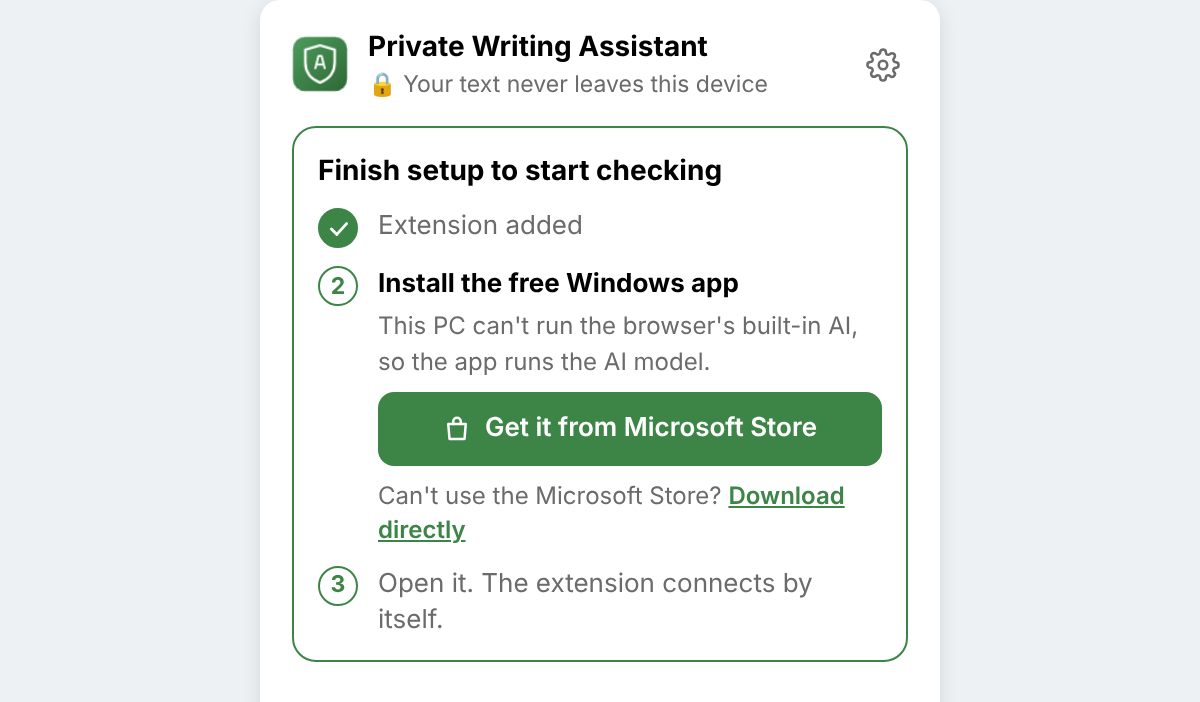
- Get it from Microsoft Store opens the app's Store page. Install it there; the Store keeps it up to date.
- Open it. Its shield appears next to the clock and downloads the AI model once.
- The extension finds the app by itself. There's nothing to configure.
No Store on your work PC? Download directly gets a zip with the same app. After the model download, checking works offline; the requirements page has the details.
One app for Edge, Chrome, Brave and Opera
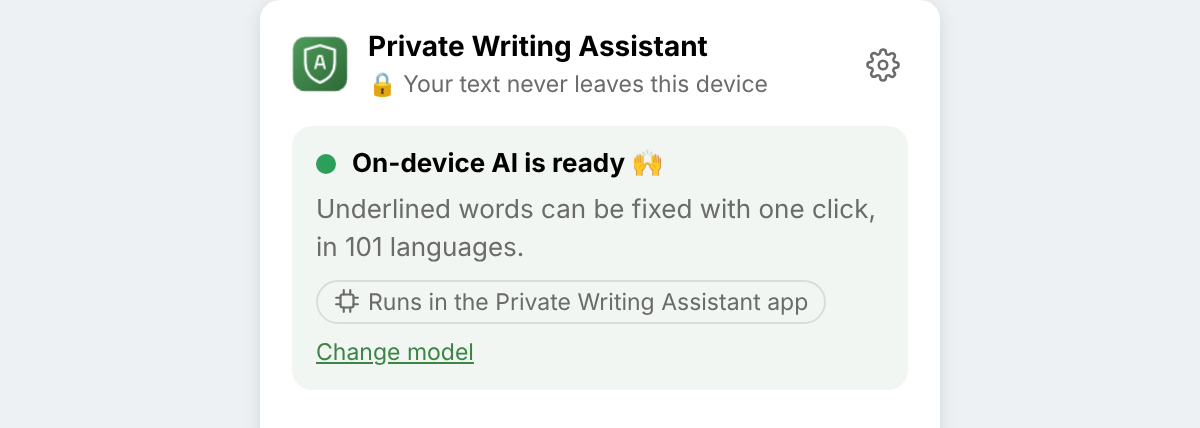
Every Chromium browser on your PC reaches the same app. Use Edge at work and Chrome at home: there's one model, downloaded once, and each browser's extension uses it. Edge, Brave and Opera have no Chrome Built-in AI, so there the app does the work as soon as it runs. The popup names the model in use:
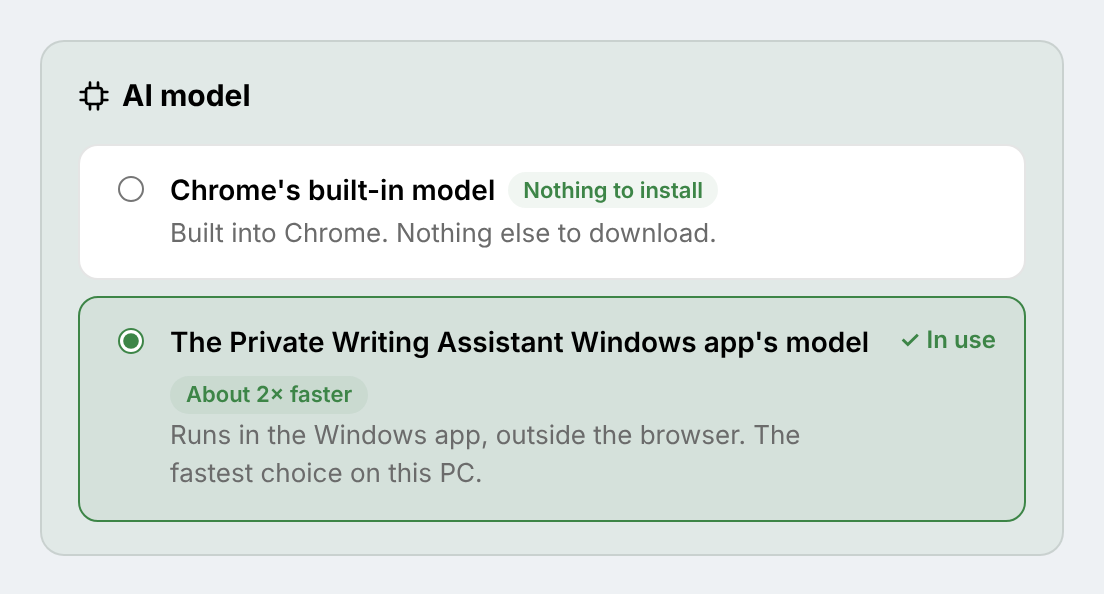
In Chrome on a PC that can run its own model, you choose. Under AI model, the settings page lists Chrome's built-in model and the Windows app's, tagged About 2× faster.
Every feature works with the app's model: underlines in text boxes and Google Docs, every Rewrite style, Translate, Ask AI, Summarize, Write with a prompt and the rest.
Outside the browser: Word, Notepad and the rest
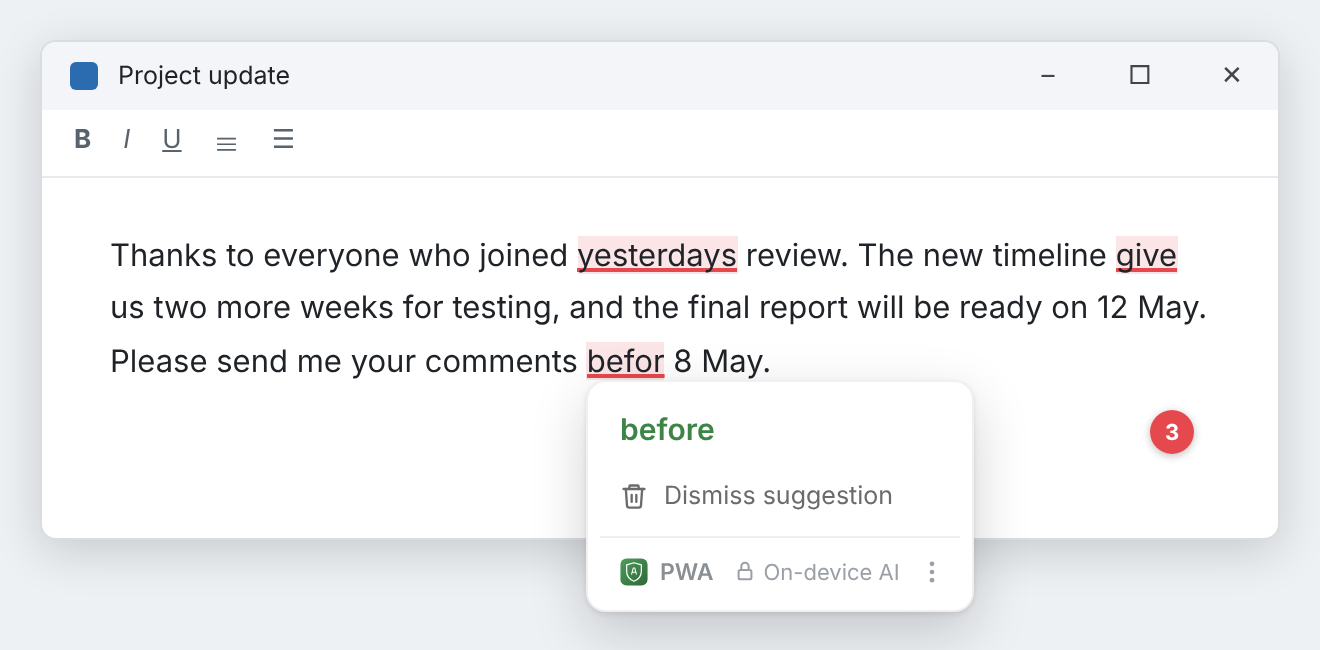
With Check Writing in Every App, on from the start in the app's menu next to the clock, it also checks what you type in Word, Notepad and other programs. Mistakes get the red underline, a badge counts them, and pointing at a word opens the same suggestion card as in the browser. Fix all 3 errors fixes them in one go, and the program's own Undo takes a fix back. In Word, every page on screen gets its own badge.
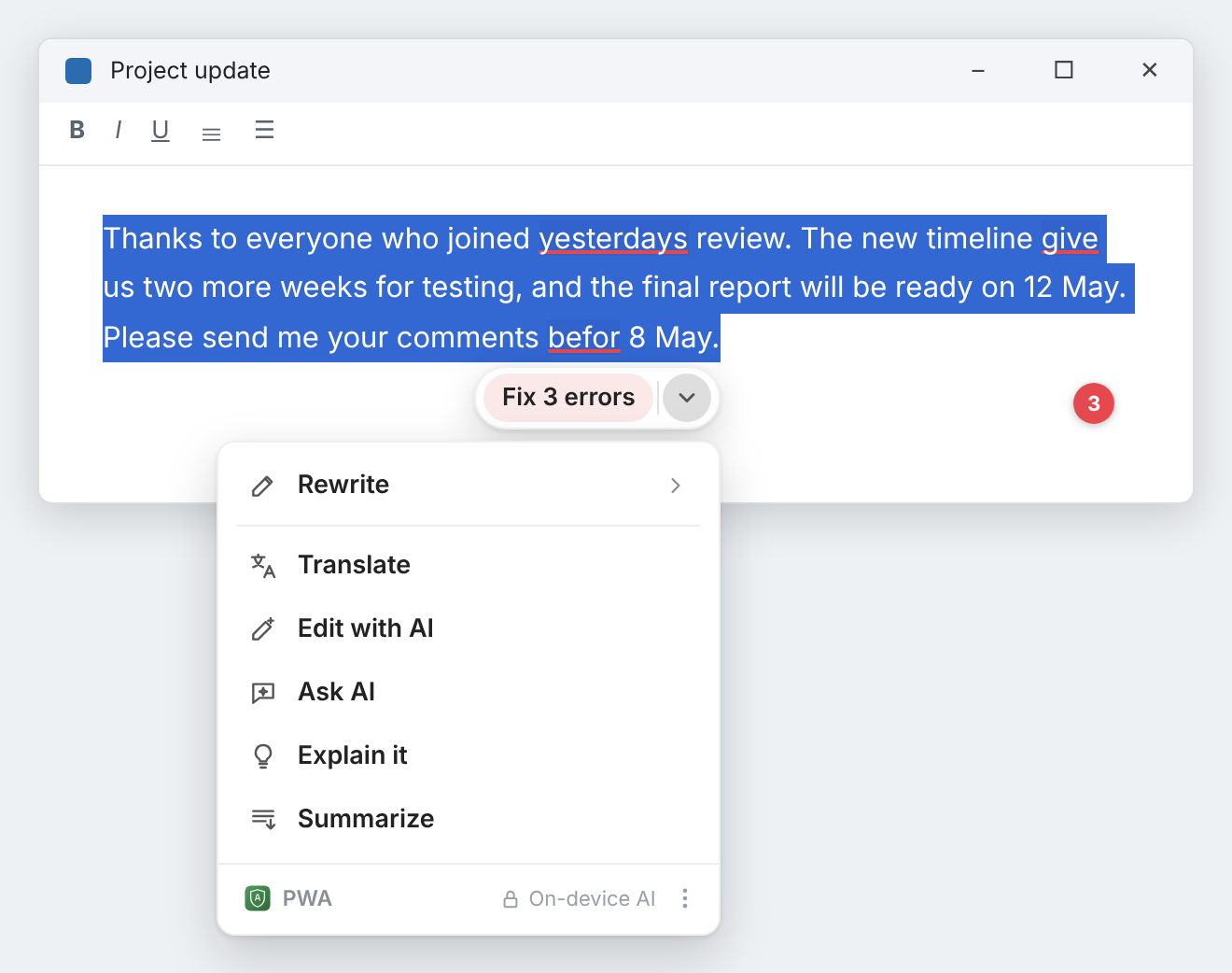
Select text and the Quick actions pill appears: Fix 3 errors when there are mistakes, plus Rewrite, Translate, Edit with AI, Ask AI, Explain it and Summarize. In desktop AI chat apps, pasting a prompt offers Improve prompt.
Password fields are never read, and browsers (the extension's job), terminals, code editors and password managers are left alone.
On your PC, and only there
The app runs the AI model on your own computer and answers only programs on that computer. In other programs it reads the field you're typing in and passes it only to that model. Whether the extension uses Chrome Built-in AI, the open-source AI model in our free Mac app or the Windows app, your text is never sent to us or to any third party, and there's no account, so we don't know who you are. Usage stats, which you can switch off, count things like which model is in use, never what you write. How it works has the details.
Has Chrome's AI turned your PC away? Get the free Windows app from the Microsoft Store and write privately in every program.
Add to ChromeAdd to EdgeAdd to BraveAdd to OperaAdd to VivaldiDownload for MacGet it from Microsoft Store