Summarize: the short version of any long text you select

Private Writing Assistant
Check grammar and rewrite text with AI that runs on your device. Free.
 Add to Chrome
 Add to Safari
The email thread runs to nine replies, the report to twelve pages, and you need to know by lunch what they say. Reading everything twice isn't an option. Selecting it and getting the short version is now.
In short
Private Writing Assistant can now summarize the text you select, in a field or on any page, as a paragraph or as key points. The summary is in the text's own language. In a field, Insert above puts it on top of your text or Replace swaps your text for it; on a page you copy it. It runs with Chrome Built-in AI on your computer.
Select three sentences or more
Summarize shows up in the menu behind the arrow next to a selection once it holds three sentences or more, whether you select text you're writing or text on a page. Select a long passage of an article, five sentences or more, and Summarize goes right on the button, unless Translate is there because the text isn't in one of your languages.
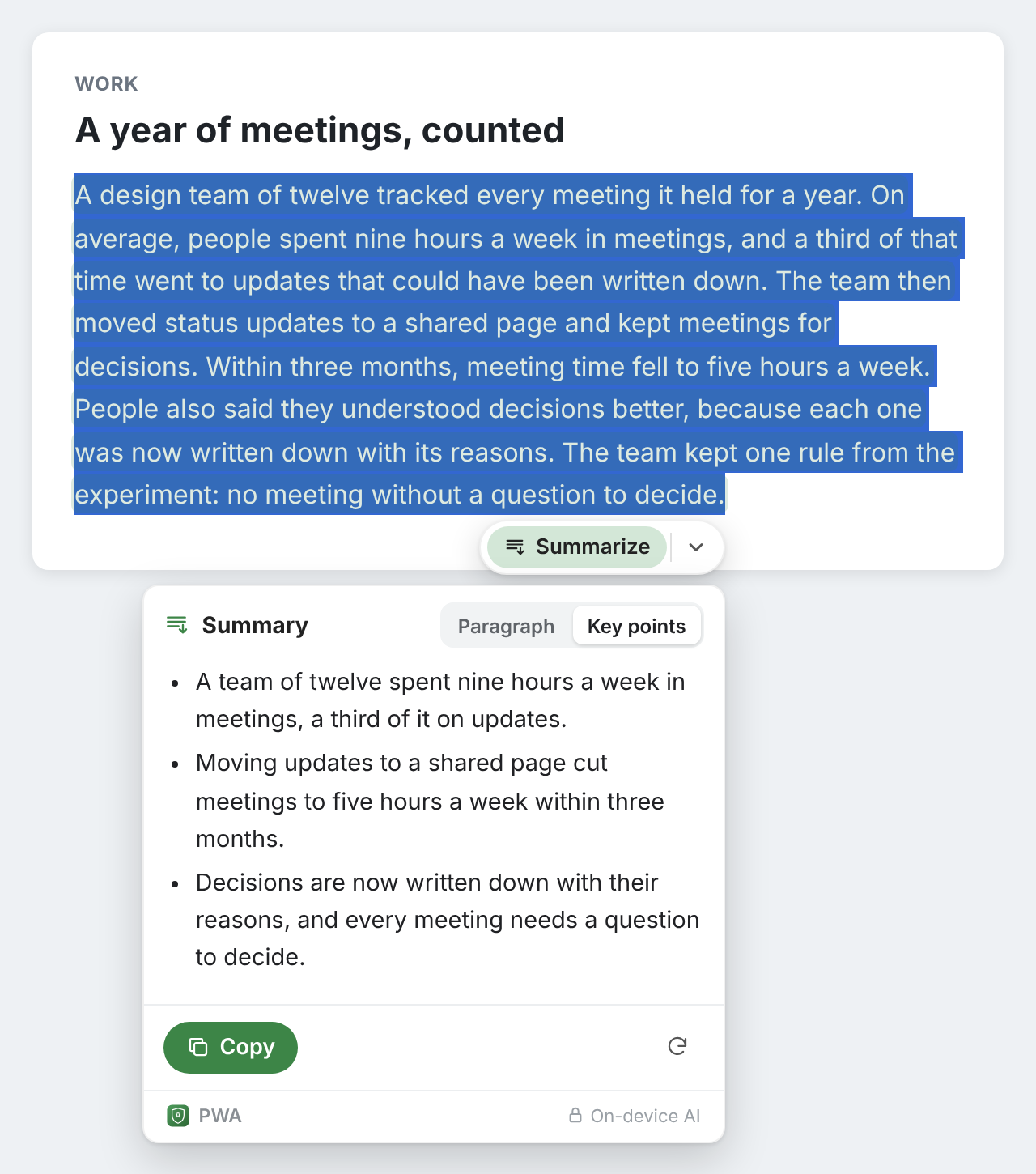
A selection can be up to about 6,000 characters, a few pages of text. For more, summarize it in parts.
A paragraph or key points
The switch at the top of the card picks the shape: Paragraph for a few connected sentences, Key points for a short list. Flip it and the other version is written; flip back and the first one is still there, without waiting again.
The card remembers your choice, once for text you're writing and once for text on pages. Until you choose, fields start on Paragraph and pages on Key points, since you usually want to skim what you read and reuse what you write.
Put the summary on top of your draft
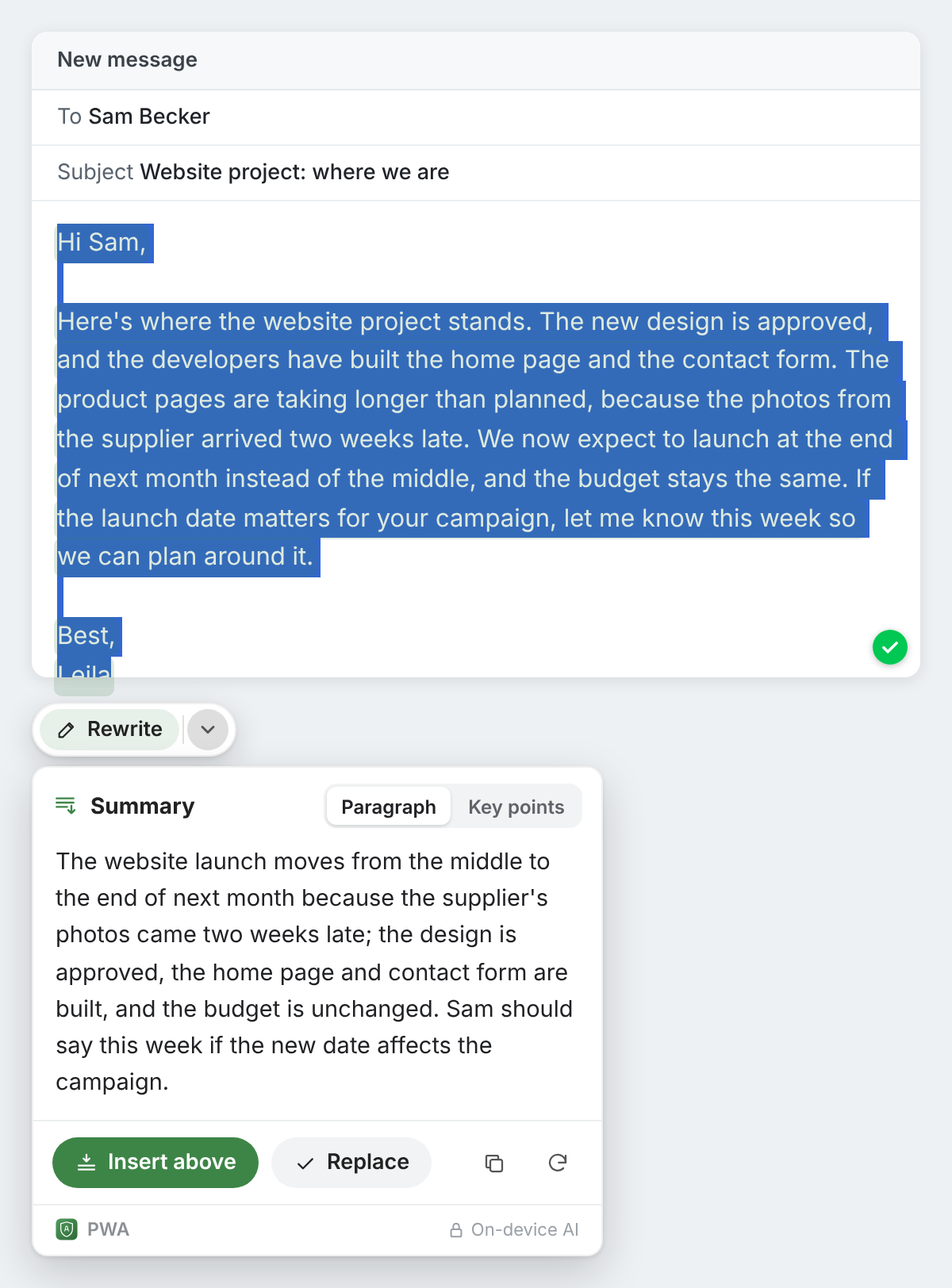
When the text is your own, in an email, a report or a ticket, the card has three ways to use the summary:
- Insert above puts it at the top of the selection, followed by a blank line, and keeps your text below it: a ready-made opening line for a long email.
- Replace swaps the selection for the summary when the short version is all you need.
- Copy takes it with you. Key points are copied one per line, each starting with a dash.
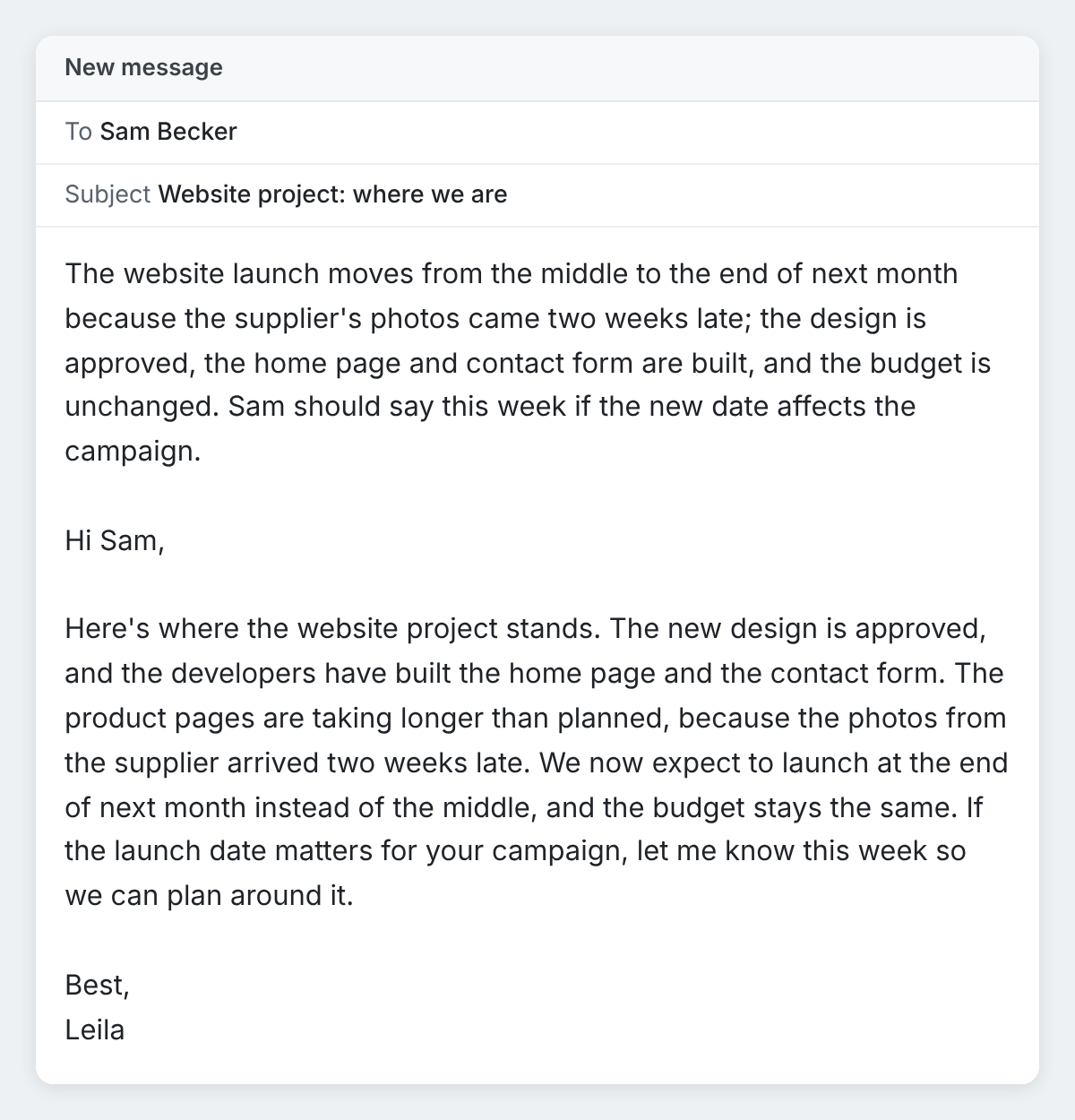
Undo in the notice that follows takes it back out. On a page you're reading, nothing can be changed, so the card offers Copy only.
In the language of the text
A summary is written in the language of what you selected, not in the language Chrome is set to: a German report gets a German summary, a Japanese article a Japanese one. For the gist of a text in a language you don't read well, use Translate on it instead, as described in our post on translating, asking about and explaining any text you select.
Summaries made on your computer
Summarize runs with Chrome Built-in AI on your own computer, like the rest of Private Writing Assistant. The text you select and the summary are never sent to us or to any third party, such as an AI service, which matters when the long text is a contract, a patient letter or an internal report. There's no account to sign up for, so we don't know who you are. Usage stats, unless you switch them off, count things like how many sentences were summarized and in which format, never the text. How it works explains it in full.
Have a long read waiting? Add Private Writing Assistant to Chrome, select it and choose Summarize.