Slack on a Mac: cleaner messages, with your code, mentions and links left alone

Private Writing Assistant
Check grammar and rewrite text with AI that runs on your device. Free.
 Add to Chrome
 Add to Edge
 Add to Brave
 Add to Opera
 Add to Vivaldi
 Download for Mac
 Get it from Microsoft Store
The incident update is finally written, you press Enter, and there it is in front of forty people: "deployed to prodution". Nobody says anything, but three people add an eyes emoji. In a busy channel, a typo stops being private the moment it's sent.
In short
The free Private Writing Assistant app for Mac now works inside Slack's desktop app. It underlines spelling and grammar mistakes in the message box as you type, fixes them one at a time or all at once, and offers quick actions such as Rewrite, Translate and Edit with AI on text you select. Code, @mentions, #channels, emoji and slash commands are left exactly as you typed them, and links stay links. It runs with an open-source AI model on your computer, so your messages are never sent to us.
Mistakes caught before the channel sees them
Open Slack, click into the message box and type as usual. When the app spots a mistake, it underlines the word. Point at it, or move the cursor into it, and a card shows the fix; click the fix and the word is replaced right there in the message box.
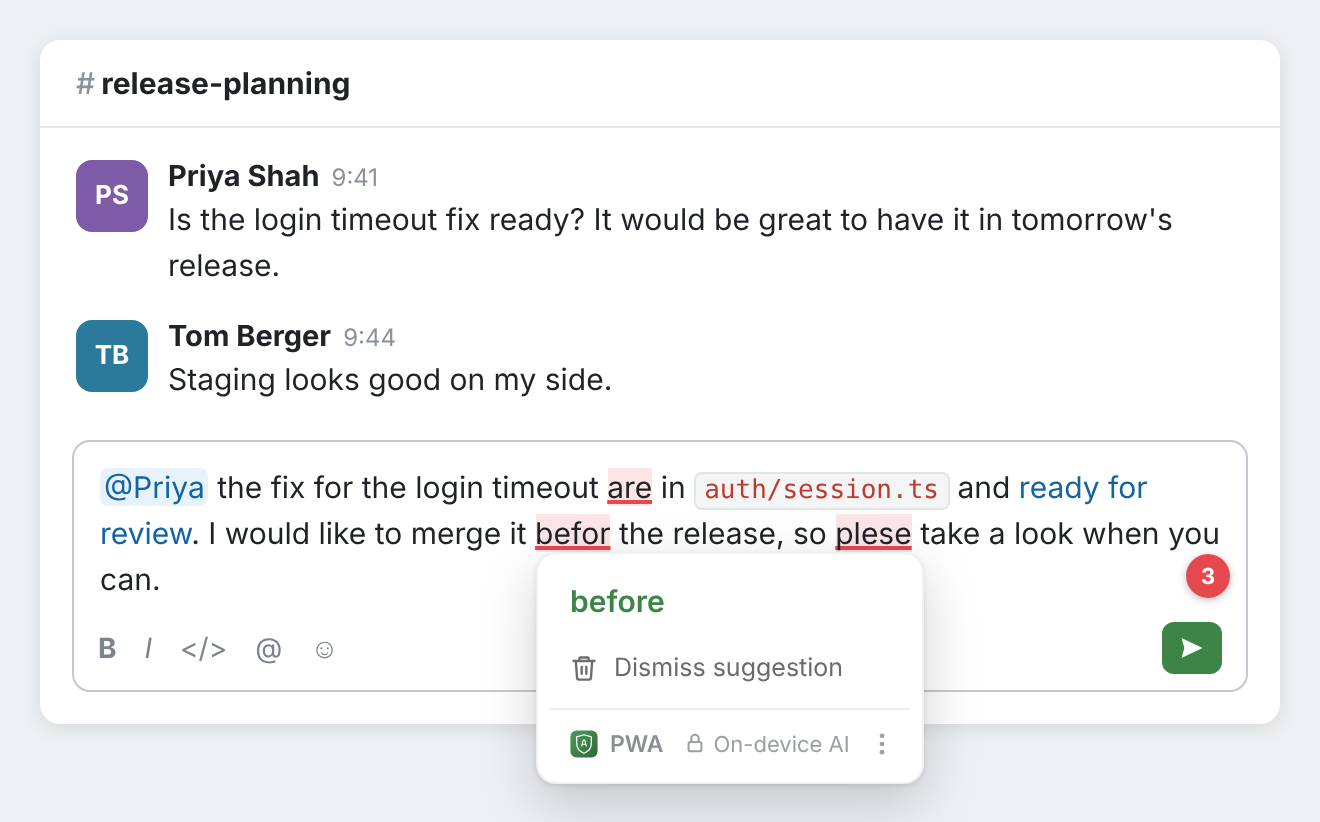
A small badge in the corner of the box counts what's left. Click it for the list, with Fix all for when you'd rather fix everything at once. Fixed words flash green for a moment, so you see what changed before you press Enter. Slack's one-line fields, such as search and the channel topic, are left alone.
Made for messages that mix prose and code
A developer's message is half sentence, half syntax, and a checker that "fixes" a function name is worse than none. The app knows which parts are prose:
- Code stays code. Nothing inside inline code or a code block is underlined or changed, so
getUserIdandgit rebase -icome through exactly as you typed them. - Mentions, channels and emoji are off limits. @names, #channels, :emoji: codes and slash commands are never touched, and neither is the word you're still typing while Slack's picker is open.
- Grammar still sees the whole sentence. A mention isn't changed, but the sentence around it is still checked, so "@Anna are on it" can still become "@Anna is on it".
- Links stay links. Fix a typo in linked words and the link is kept, pointing where it pointed before.
- Lists keep their shape. Bullets and numbers at the start of a line aren't treated as words.
Quick actions for the rest of the workday
Select text in the message box and the Quick actions pill appears, the same one the browser extension shows. With two or more mistakes in the selection, its first button fixes them all. The menu holds the rest:
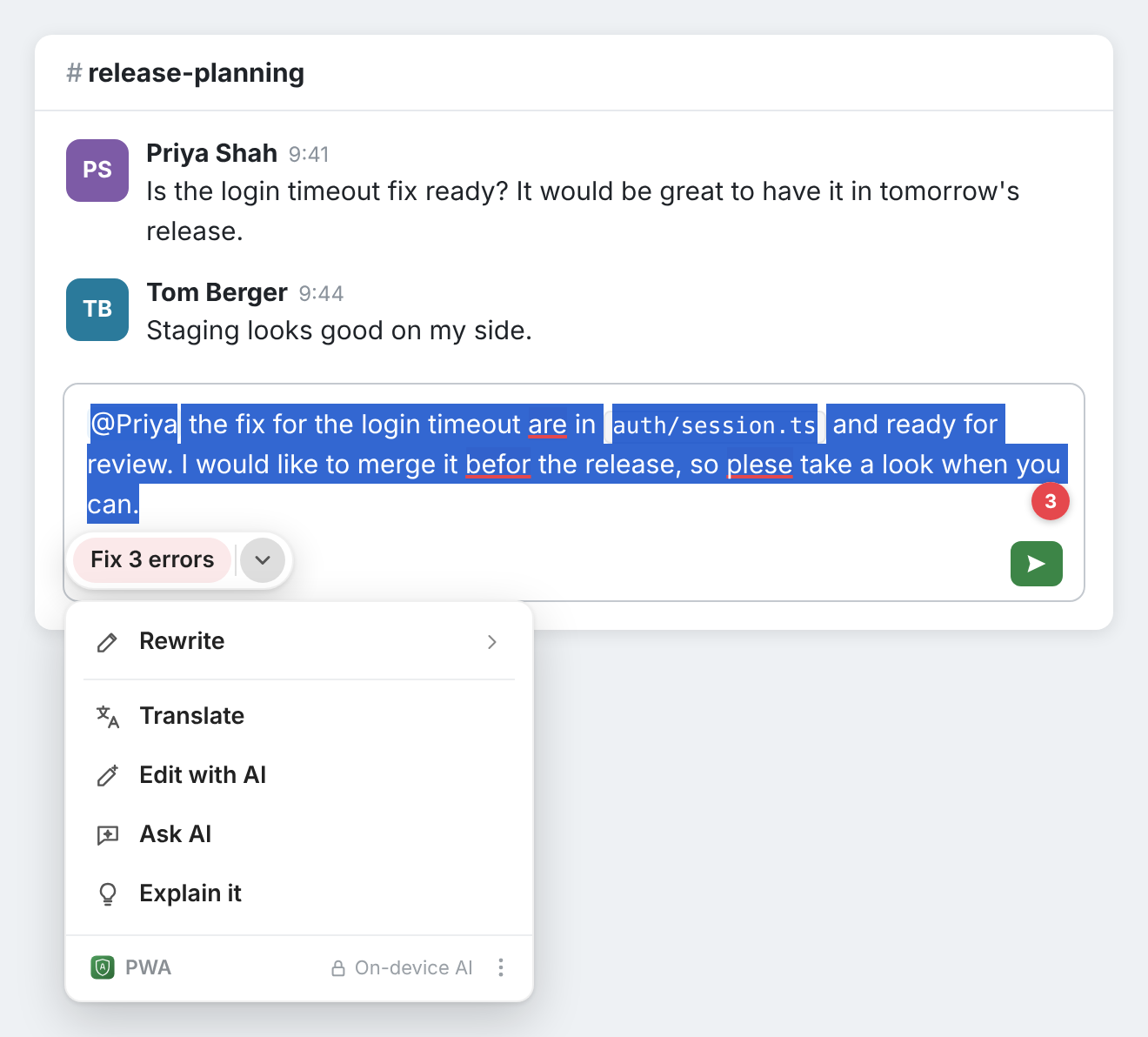
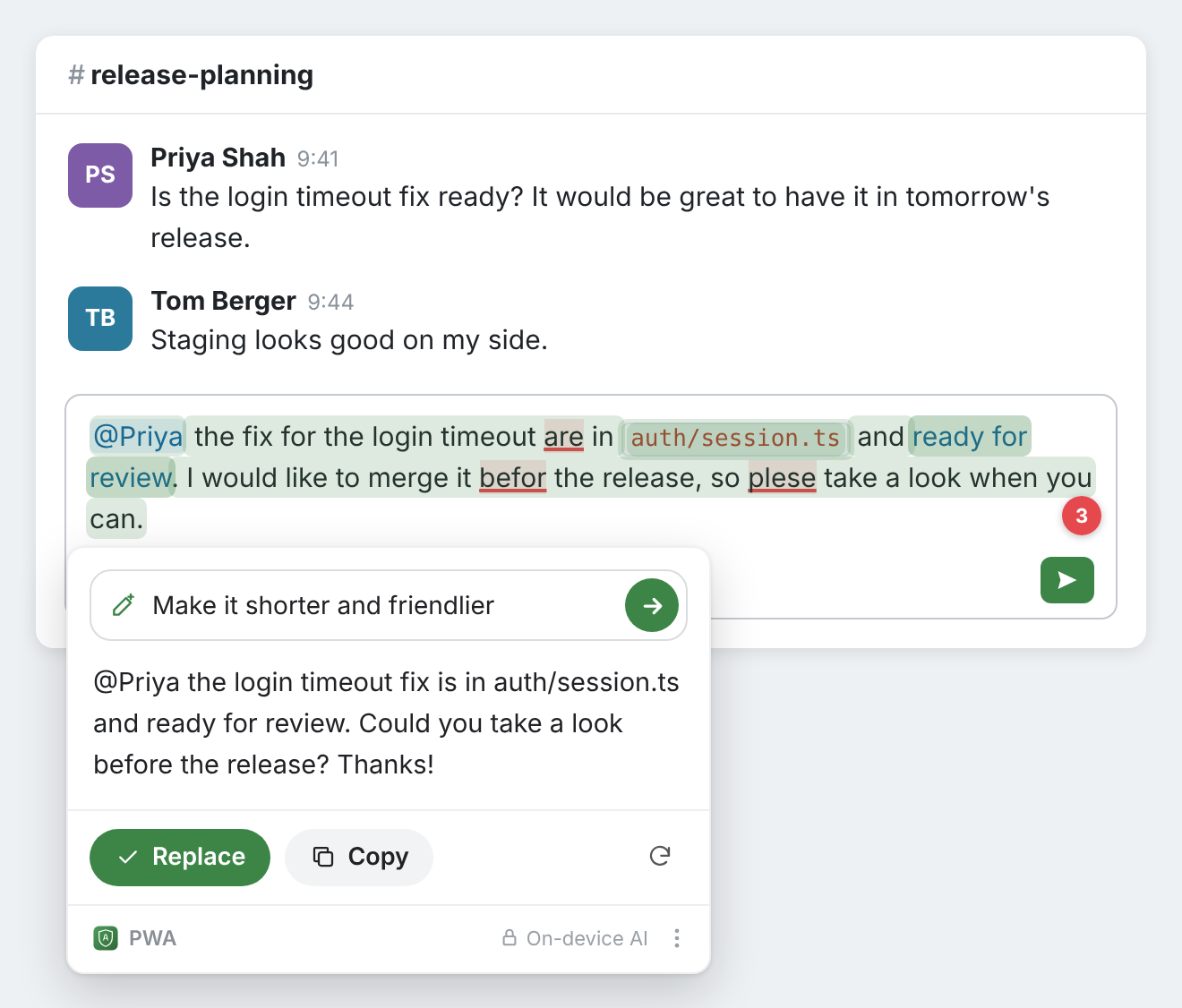
- Rewrite a long status update to be shorter, simpler, friendlier or more professional before it goes to a busy channel.
- Translate a reply for a colleague who works in another language.
- Edit with AI with your own instruction, such as "make it sound less urgent" or "turn this into a list".
- Ask AI and Explain it about the text you selected, and Summarize for a long draft.
Click into an empty message box and the pill offers Write with a prompt: describe the message you need, and the draft goes in as plain text, ready to edit before you send it.
Three steps to set it up
- Download the free Private Writing Assistant app for Mac and open it. It downloads its AI model the first time.
- In the app's menu in the menu bar, make sure Check Writing in Every App is on, and allow Accessibility when macOS asks. That's how the app reads and writes the text in Slack's message box.
- Open Slack and start typing.
The app needs macOS 11 or newer and runs on Apple silicon and Intel Macs; the requirements page has the details. The same checking works in Mail, Notes, Pages, Word and most other Mac apps. Prefer Slack in the browser? The extension checks it there too, with Chrome Built-in AI or, on a Mac, the open-source AI model in our free Mac app.
Checked on your Mac, never sent to us
The app reads the message box through macOS Accessibility, checks it with the open-source AI model running on your Mac, and writes the fix back. Your messages, code snippets and drafts are never sent to us or to any third party, and there's no account to create, so we don't know who you are. Slack sends the message when you press Enter, as it always does; the app only helps before that. How it works explains the rest.
Next time you write an update in Slack, let the free Mac app read it before your team does.
Add to ChromeAdd to EdgeAdd to BraveAdd to OperaAdd to VivaldiDownload for MacGet it from Microsoft Store