About twice as fast in Chrome on a Mac, and now in Edge, Brave, Opera and Vivaldi

Private Writing Assistant
Check grammar and rewrite text with AI that runs on your device. Free.
 Add to Chrome
 Add to Edge
 Add to Brave
 Add to Opera
 Add to Vivaldi
 Download for Mac
 Get it from Microsoft Store
Click Rewrite, and the wait before the new version appears is the moment you notice most. On a Mac, version 1.6.0 of Private Writing Assistant cuts that wait roughly in half. It also opens the extension to Mac users of Edge, Brave, Opera and Vivaldi, who until now saw a polite note that their browser had no AI model to run.
In short
On a Mac, the Private Writing Assistant extension in Chrome can now use the AI model of our free Mac app instead of Chrome's own. In our tests it rewrote text about twice as fast. Browsers without Chrome's built-in AI, such as Edge, Brave, Opera and Vivaldi, can now use it too. Either way, the AI runs on your computer, and you can switch between the two models in the settings.
Two engines, and the extension picks the faster one
Until now, the extension in Chrome had one engine: Chrome Built-in AI, the model Chrome downloads and runs on your computer. It works well and needs nothing extra. On a Mac there is now a second choice: the free Private Writing Assistant app, the same app that brings the extension to Safari, which runs an open-source AI model directly on your Mac, outside the browser.
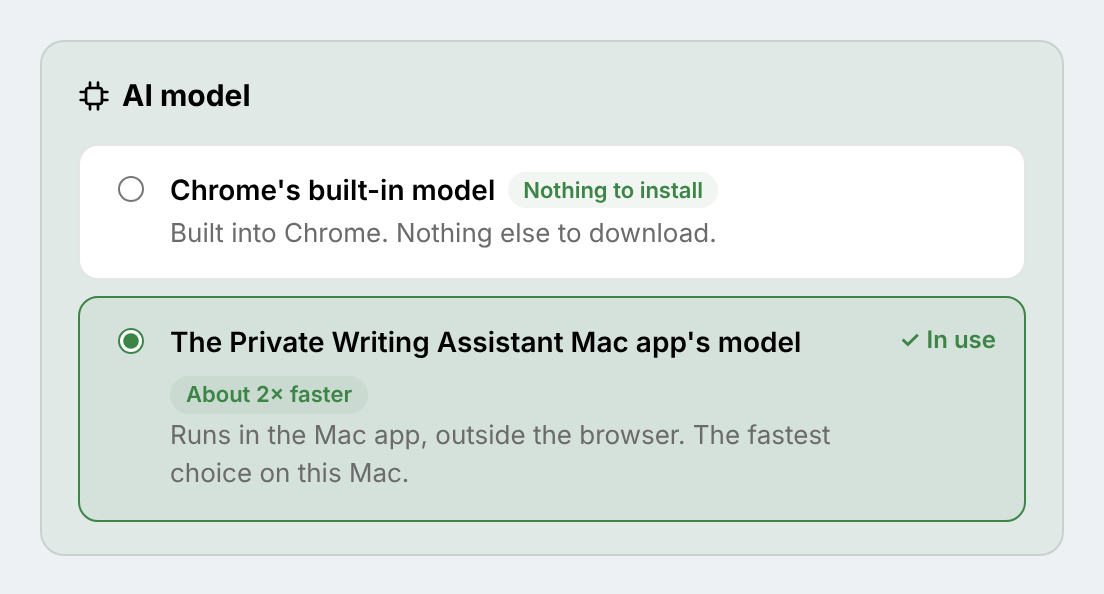
Once the app is open and its model is loaded, the extension switches to it by itself. No restart, no setting to find. The settings page shows both models under AI model, with the one in use ticked.
How much faster?
We timed the same rewrite of a four-sentence passage, four times with each model, on a MacBook with an M3 chip. The typical run took 4.65 seconds with Chrome's built-in model and 2.3 seconds with the Mac app's. The very first request to Chrome's model, while it was still warming up, took almost 14 seconds; we left it out to be fair.
That's one Mac, so treat "about twice as fast" as a guide, not a promise. The gap depends on your Mac's chip and memory. The app picks a model sized to your Mac's memory the first time it opens, so Macs with less memory get a lighter model rather than a slow one.
See and change the model from the popup
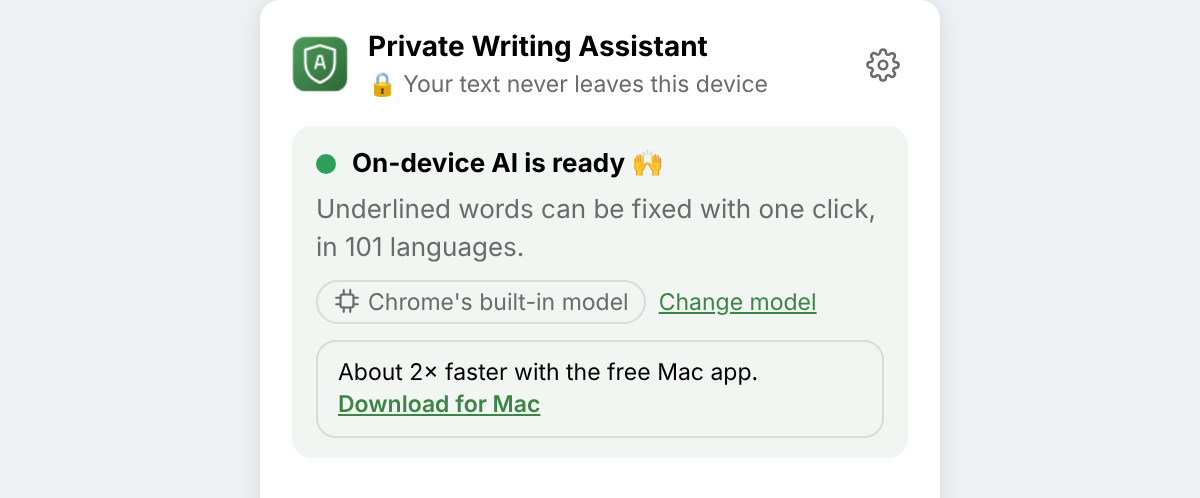
Click the Private Writing Assistant icon in the toolbar. Under the ready message, a small label names the model doing the work. If it's Chrome's and the app isn't installed, a line suggests the app, with a Download for Mac link.
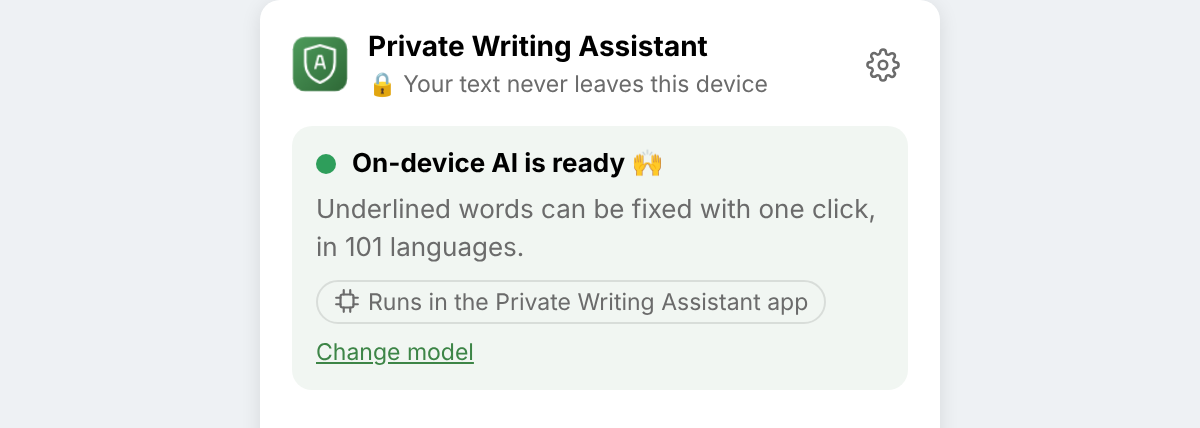
With the app running, the label reads Runs in the Private Writing Assistant app. Change model opens the list in the settings, where you can go back to Chrome's model with one click. The extension then keeps Chrome's model, even while the app is running.
Edge, Brave, Opera and Vivaldi join in
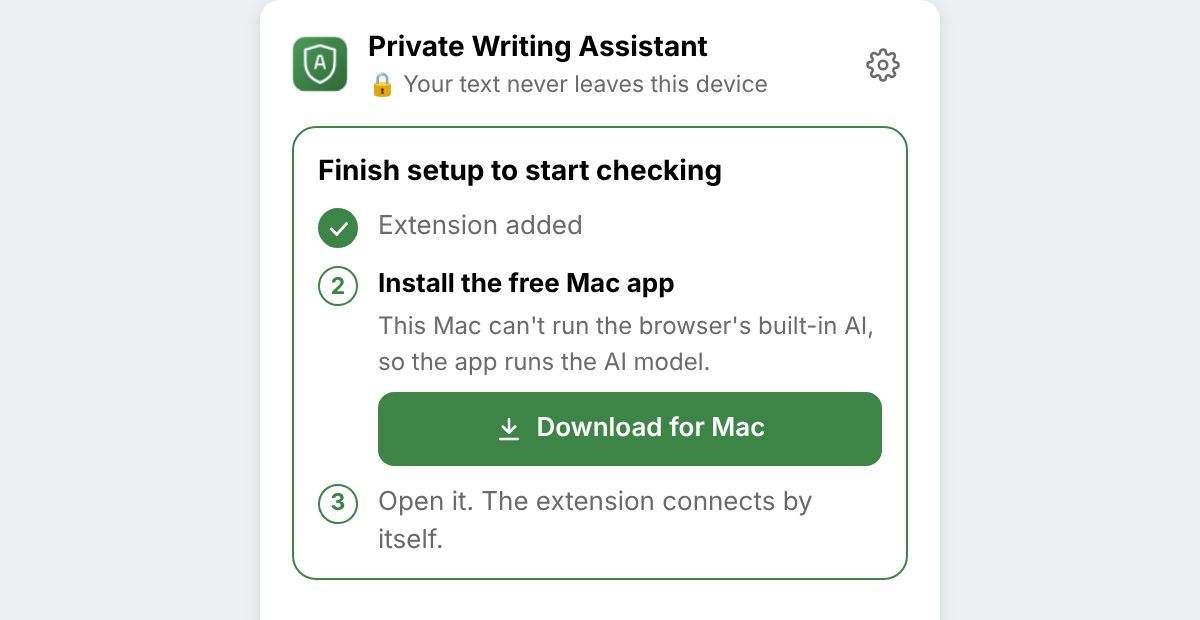
The extension installs in any browser built on Chromium, but Chrome's built-in AI comes only with Chrome. Until now, Mac users of other browsers could install it and then had nothing to check their writing with. Some Macs running Chrome were in the same spot, when Chrome's model couldn't run on them. Now the popup turns that dead end into three steps:
- Extension added: already done.
- Install the free Mac app: the Download for Mac button downloads it.
- Open it. The app downloads its AI model the first time, and the extension connects by itself.
The app needs macOS 11 or newer and runs on Apple silicon and many Intel Macs. The requirements page has the details, and our Safari announcement shows the app itself. On Windows, Chrome's built-in model is still the way, and a Windows app is next on our list.
Faster, and still on your Mac
Switching engines doesn't change where your writing goes. With Chrome Built-in AI, Chrome's model checks your text in the browser. With the app, the extension hands your text to the app on the same Mac and gets the answer back from it. In both cases your text is never sent to us or to any third party, and there's no account to create, so we don't know who you are.
Usage stats, which you can switch off in the settings, count things like which model is in use or whether the setup steps were shown, never what you write. How it works explains the rest.
On a Mac? Open the extension's popup and see which model is doing your checking.
Add to ChromeAdd to EdgeAdd to BraveAdd to OperaAdd to VivaldiDownload for MacGet it from Microsoft Store